


If you are tired of hitting message limits on ChatGPT Plus or waiting for Claude to analyze a large PDF, it is time to switch.
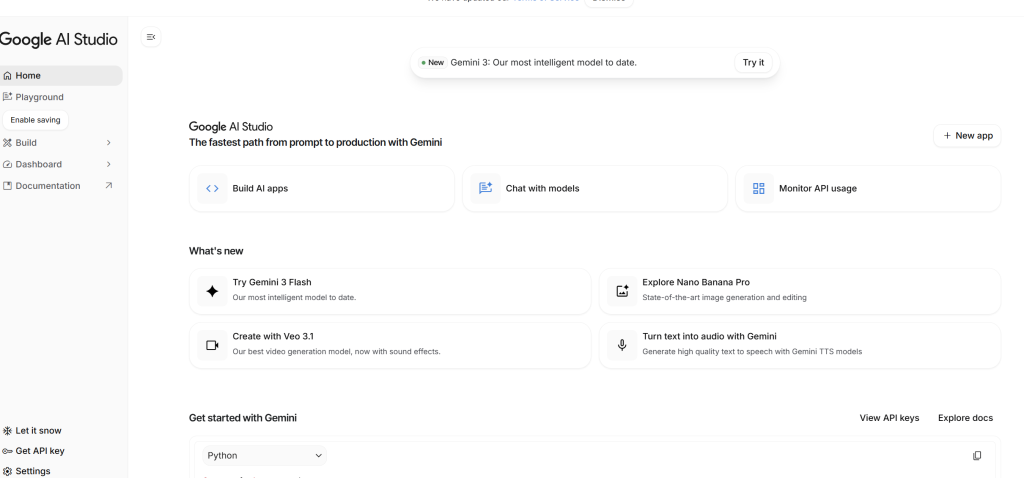
Google AI Studio is quietly becoming the most powerful interface for power users. Originally designed for developers, it is now the best-kept secret for content creators, analysts, and anyone who wants unrestricted access to Google’s top-tier models like Gemini 1.5 Pro and Gemini 3.
Here are the 6 core features that make AI Studio superior to standard chatbots.
1. The “Infinite” Context Window
Standard chatbots usually cap you at a certain document length. Google AI Studio offers a 1-million to 2-million token context window.
To put this in perspective: you can upload a PDF with 1,000 pages, a video that is an hour long, or an entire repository of code. The model doesn’t just “summarize” it; it holds the entire file in its memory. You can ask it to find a specific footnote in a contract or a specific bug in 50 files of code, and it retrieves it instantly.
2. Native Video and Audio Analysis
Most AI tools analyze video by reading the transcript (text). Google AI Studio is different—it is multimodal native.
When you upload a video file (MP4) or an audio recording, Gemini processes the visual frames and the sound waves directly.
• Use Case: Upload a recording of a business meeting. Ask the AI, “What was the reaction on the client’s face when we mentioned the price?” It can analyze the visual sentiment, not just the spoken words,.
3. The “Build” Mode: Zero-Code Apps
This is a feature most people miss. AI Studio isn’t just for chatting; it’s for prototyping.
There is a mode called “Build” (or Structured Prompts). You can simply describe a tool you need, like “A calculator that estimates mortgage payments based on Australian tax rates,” and Gemini will write the code and render a preview of the app right in the browser. You don’t need to know how to code to build functional micro-apps,.
4. Granular Model Selection
In ChatGPT, you are often locked into whatever the current “default” model is. In AI Studio, you have a dropdown menu to choose exactly what you need:
• Gemini 1.5 Flash: For lightning-fast, low-cost tasks (like summarizing emails).
• Gemini 1.5 Pro: For heavy-duty reasoning and long documents.
• Gemini 3 (Experimental): For testing the bleeding-edge reasoning capabilities that beat GPT-4o in benchmarks.
5. Safety Filter Controls
Have you ever tried to write a crime thriller or analyze a historical war document, only to have the AI refuse because it violates “safety policies”?
Google AI Studio treats you like an adult/developer. In the settings, you can adjust the Safety Settings. You can slide the restrictions on various categories all the way down to “Block None.” This is crucial for creative writers and researchers who need the AI to process sensitive or complex topics without being lectured.
6. Tuning the “Creativity” (Temperature)
Sometimes you need an accountant, sometimes you need a poet. AI Studio gives you a slider called Temperature.
• Set to 0: The AI becomes deterministic and logical. Great for extraction data, math, and coding.
• Set to 1 (or higher): The AI becomes creative and random. Great for brainstorming and fiction writing.
• Note: For the new Gemini 3 reasoning models, keep this at 1 to maintain logic flow.
Verdict: Why Switch?
The standard Google Gemini web interface is good for casual chat. But Google AI Studio is for getting work done. It removes the guardrails, gives you massive memory, and lets you control the engine.
If you handle large files, need precise control, or want to build simple apps without coding, this is currently the best free tool on the market.