


Meta Description: Just released: Google’s Gemini 3 is here. We break down the 7 official ways to access it, from the free AI Studio and mobile app to developer tools like the new “Antigravity” IDE.
Within 24 hours of the Gemini 3 release, the tech world has been buzzing, with even industry figures like Sam Altman and Elon Musk paying close attention to the launch.
While the excitement is high, Google’s product lines can be confusing to navigate. To simplify the process, here is a consolidated guide to the 7 official channels for using Gemini 3, ranging from free consumer tools to enterprise solutions.
01. Google AI Studio: The Best Free Channel
Recommendation Index: ★★★★★
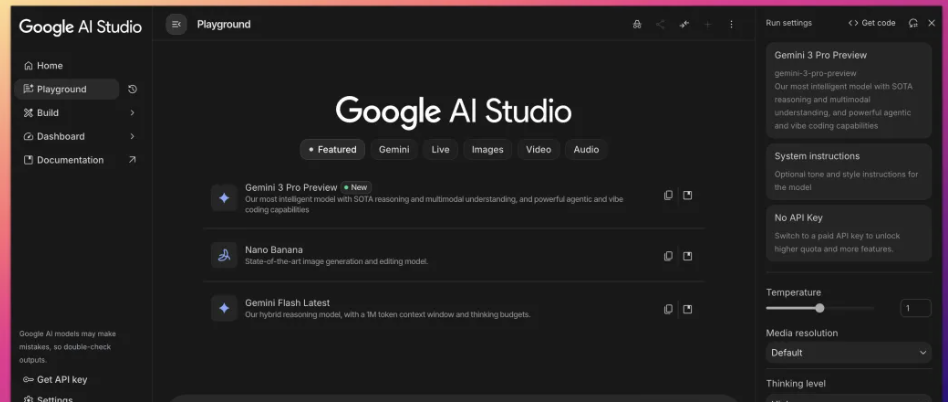
For users who can only choose one platform, Google AI Studio is the top recommendation.
- Generous Free Tier: It offers a “full-blooded” version with a 1 million token context window, with no dilution.
- High Customization: Users can manually set the model’s safety settings and “temperature” (creativity).
- Multimodal Capabilities: It supports chat, drawing, audio, and even video inputs for generation.
- Vibe Coding: The recently updated “Build” mode is a major benefit for Vibe Coding, supporting parameter debugging and multi-modal input to generate shareable AI applications.
Important Note: Google defaults to retaining the right to use dialogue data from AI Studio for model training. Do not send sensitive personal or business information.
02. Gemini App: Web and Mobile
Recommendation Index: ★★★
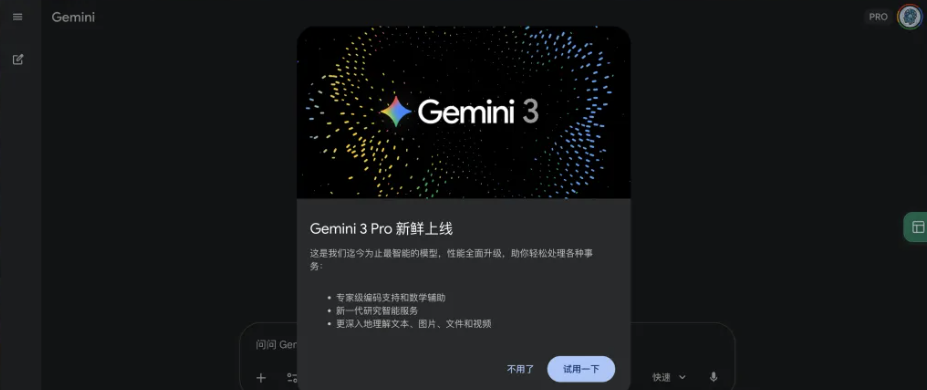
This is the most accessible channel for general users, though it comes with limitations.
- Web & Mobile Status: The web version has been fully upgraded to Gemini 3, while the mobile app update is still rolling out.
- Usage Limits: The free version has strict limits, approximately 5 uses per day, which is far lower than AI Studio.
- Student Discount: Google has extended the application period for its student offer, which provides a free year of Gemini AI Pro (Google One AI Premium).
03. Google Search AI Mode
Recommendation Index: ★★★
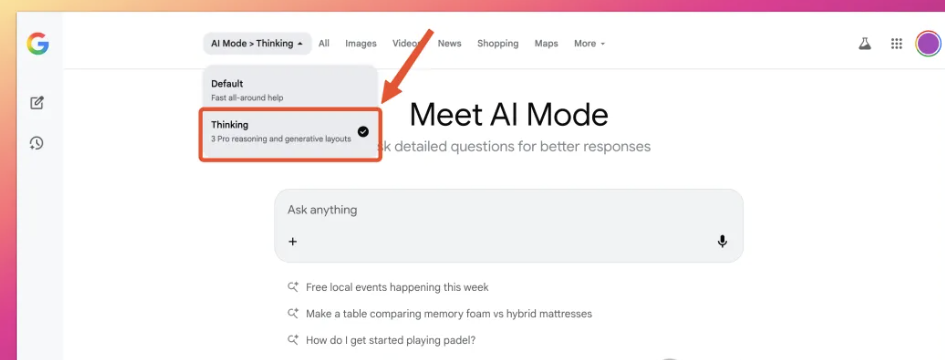
For the first time, Google has integrated the new model directly into Search on launch day.
- Availability: This feature is currently in a “grey testing” phase (A/B testing) and is primarily open to Gemini AI Pro and Ultra subscribers.
- How to Verify Access: Open the Google Search page and look at the right side of the input box to enter “AI Mode”. If you can switch models in the top left corner, you have access.
04. Google Antigravity: The “Cursor Killer”?
Recommendation Index: ★★★★★ (Temporary)
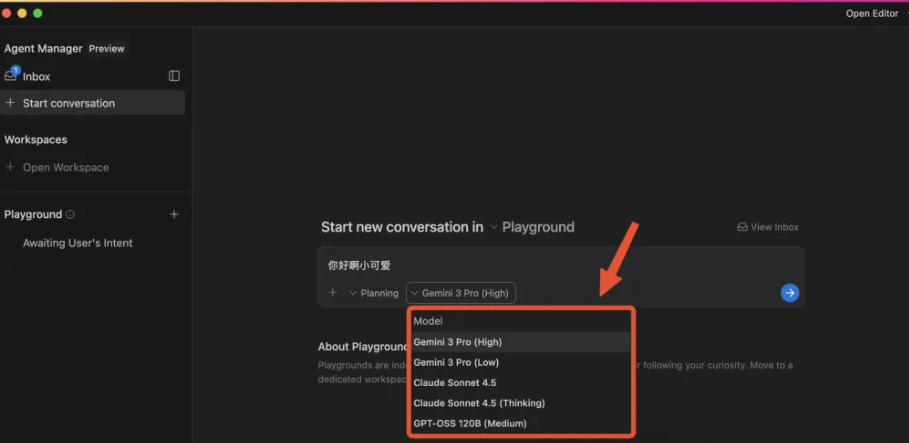
This may be the most underestimated release of the launch. Traffic was so intense initially that many users could not log in.
- What is Antigravity? It can be understood as Google’s version of Cursor.
- Core Function: Essentially an AI IDE, Google has upgraded it into a multi-agent collaborative development environment.
- Model Support: It supports open-source models and connects with OpenAI.
- Pricing: It is currently free for a limited time, though rate limits apply.
05. Gemini CLI: For Terminal Lovers
Recommendation Index: ★★★
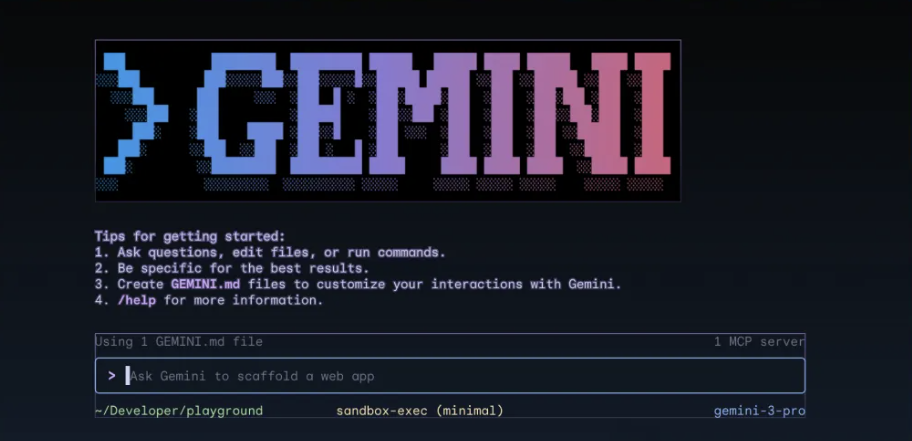
This tool is designed specifically for developers with command-line experience.
- Capabilities: The Gemini CLI can handle chat, read folders, write code, execute Shell commands, call Google Search, and connect to MCP servers.
- Installation: Requires Node.js 18 or higher. Users can install it via simple commands.
- Access Priority: Access is prioritized for Ultra subscribers. Pro and free users must apply via a specific Google Form to open permissions.
06. AI Studio API: For Individual Developers
Recommendation Index: ★★★★
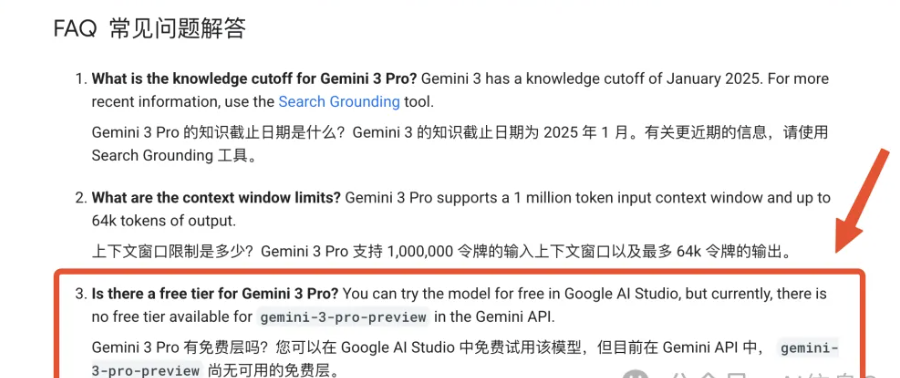
Google has clarified that there is no free tier for API access with this release.
- Requirement: Users need to bind a card and enable a Paid Plan.
- Pricing: The pricing is tiered:
- Under 200k tokens: Input $2/million tokens, Output $12/million tokens.
- Over 200k tokens: Input $4/million tokens, Output $18/million tokens.
07. Vertex AI: The Enterprise Solution
Recommendation Index: ★★★★
This is Google Cloud’s enterprise-grade AI platform.
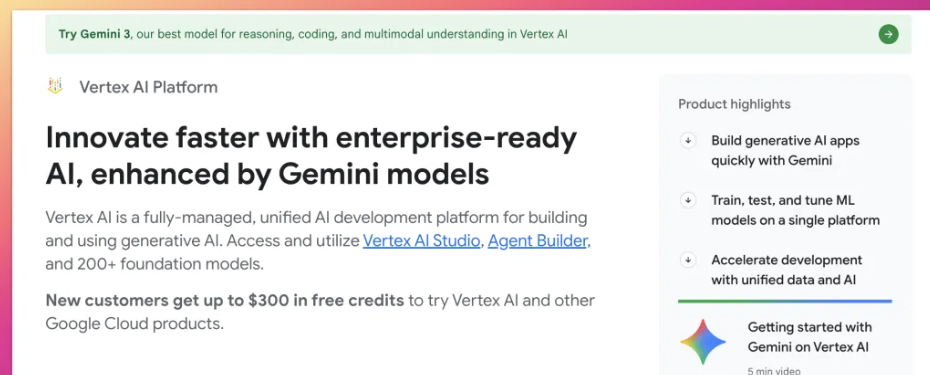
- Target Audience: Enterprise users or individuals with a Google Cloud (GCP) account within the free credit limit.
- Features: More powerful than AI Studio, Vertex AI supports cloud deployment, privatization, and complete MLOps tools with enterprise-level data isolation.
- Getting Started: The setup is complex (requires GCP account, project creation, API enabling), but new users often receive $300 in credits valid for 3 months.
Conclusion
Within 24 hours, Google has demonstrated a massive effort with this release. Although the product line may appear messy, the overall ecosystem layout is comprehensive. From browsing to the terminal, and from personal use to enterprise solutions, there is an entry point for every user.